Your guest can choose from a list of allergies when they make a reservation using the Toast Tables booking page.
To choose allergies when making a reservation:
-
Access the Toast Tables reservation page.
-
Select a time and date for the reservation. This opens the Book reservation dialog.
-
In the Book reservation dialog, complete the guest information fields.
-
Under the Allergies section, select the dropdown menu to show a list of available allergies to choose from. Your guest can choose as many allergies as they want.
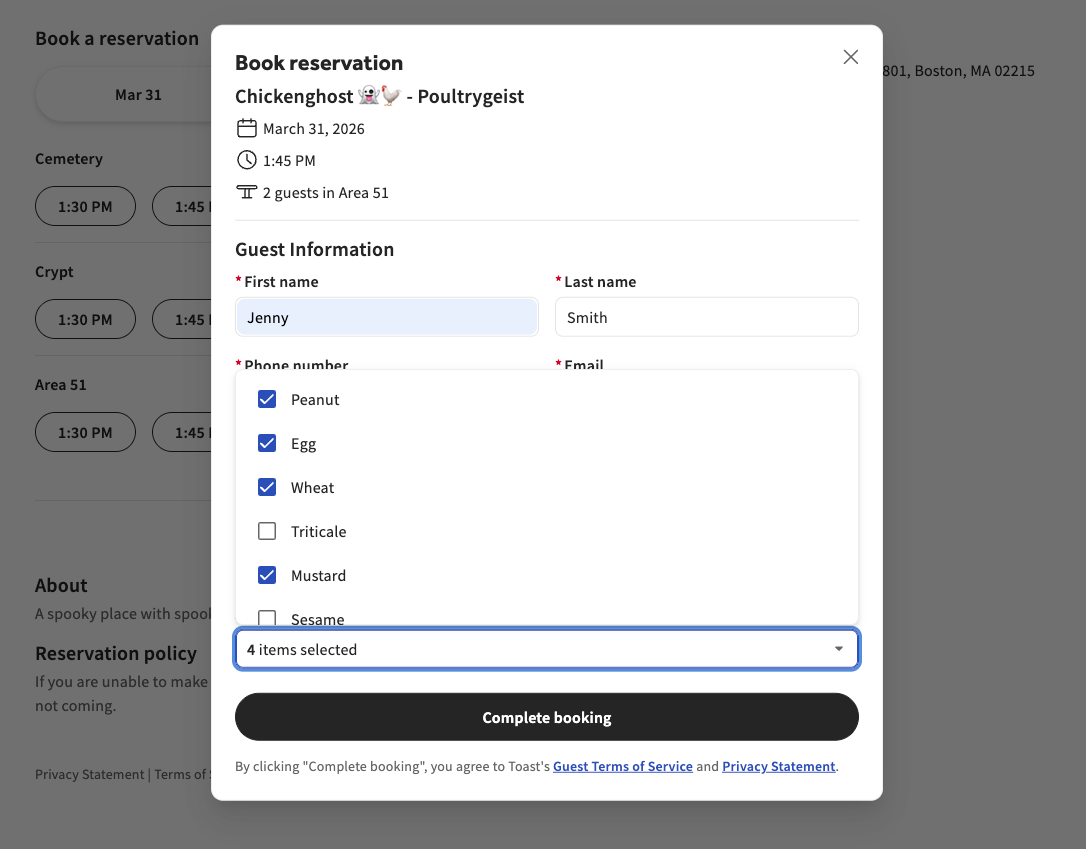
-
Select the Continue button to complete booking the reservation.