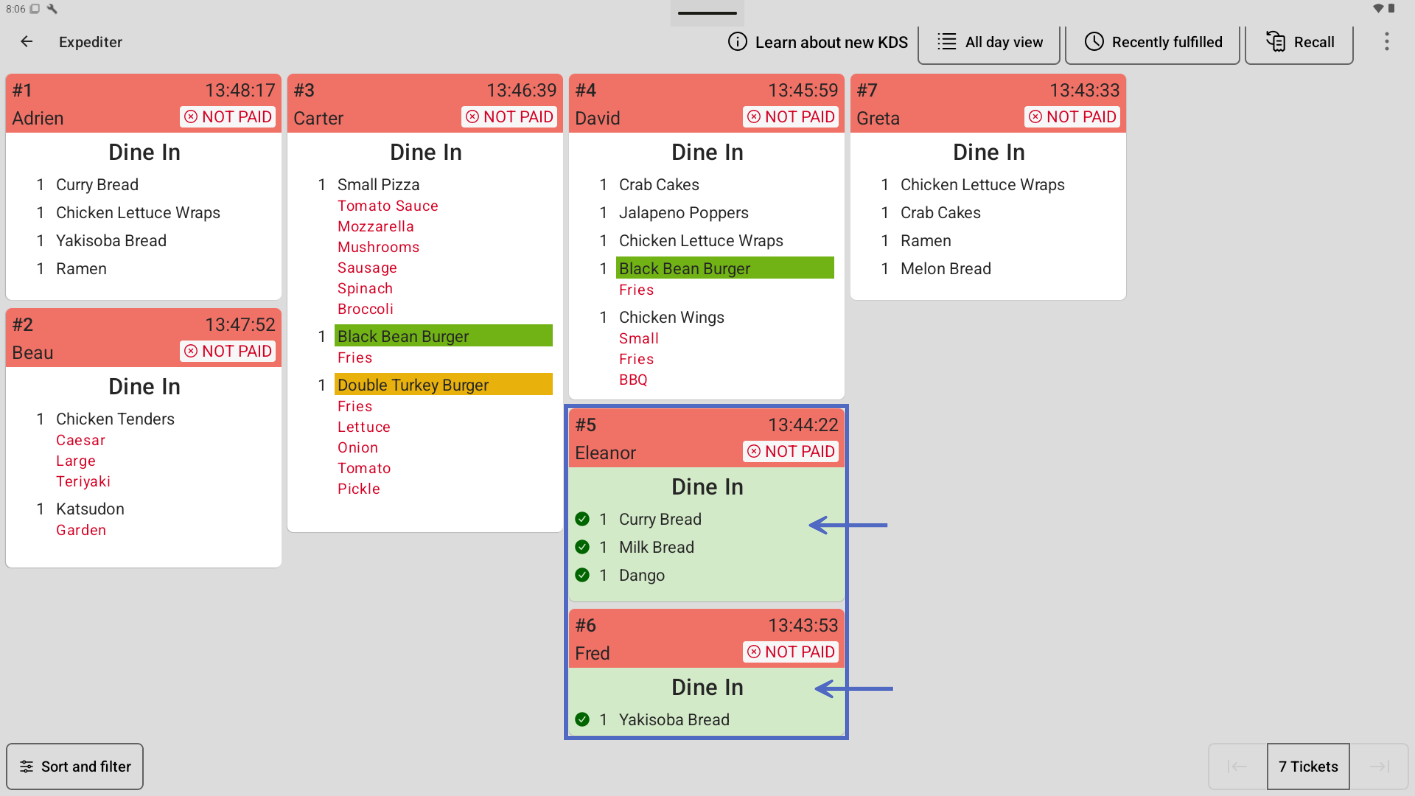
For the Group by category, there is only one option for grouping tickets, and it is only available on expediter KDS devices: Fulfilled tickets. This is the default option. This option groups tickets that are fulfilled at the prep station level first. By clearing this option, the tickets remain in the current order until they are fulfilled at the expediter level.
For example, if you operate a drive-thru, you may want tickets to stay in the same order that they are entered to match the order of the vehicles at the drive-thru until they are fulfilled at the expediter level. For more information about fulfillment levels, see Understanding item fulfillment.
Here is an example of an expediter KDS device with the Group by category Fulfilled tickets checkbox selected.
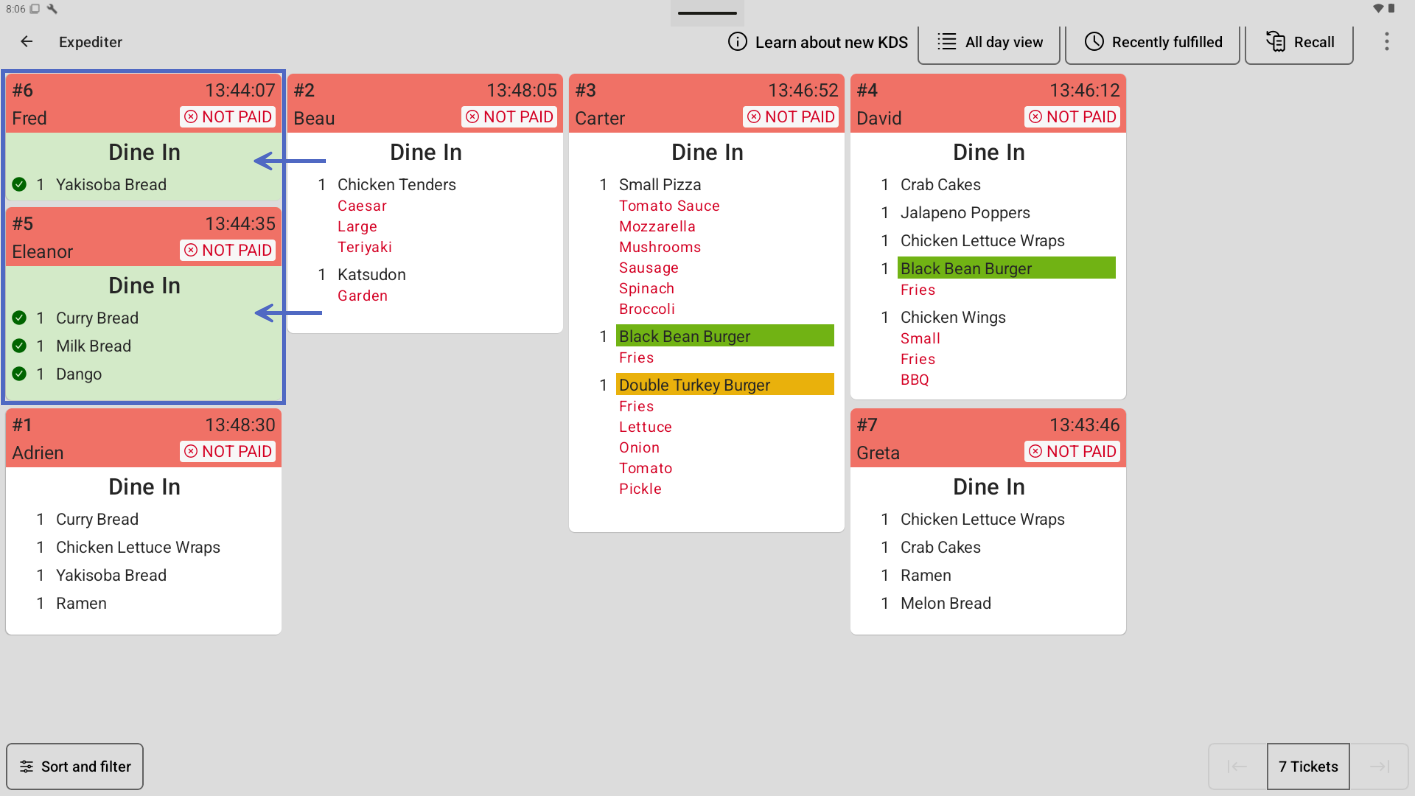
Here is an example of the same expediter KDS device with the Fulfilled tickets checkbox cleared.