This section describes the loyalty transaction workflow on the guest-facing display (GFD). The GFD allows restaurant guests to interact with loyalty features directly, without restaurant employee assistance.
The GFD supports two workflows: creating new loyalty accounts for guests who are not yet members, and looking up existing accounts for returning guests.
When a guest enters their contact information on the GFD, the
Toast platform first searches for an existing account. If no account is
found, the Toast platform sends a LOYALTY_SIGNUP request to
create a new account.
-
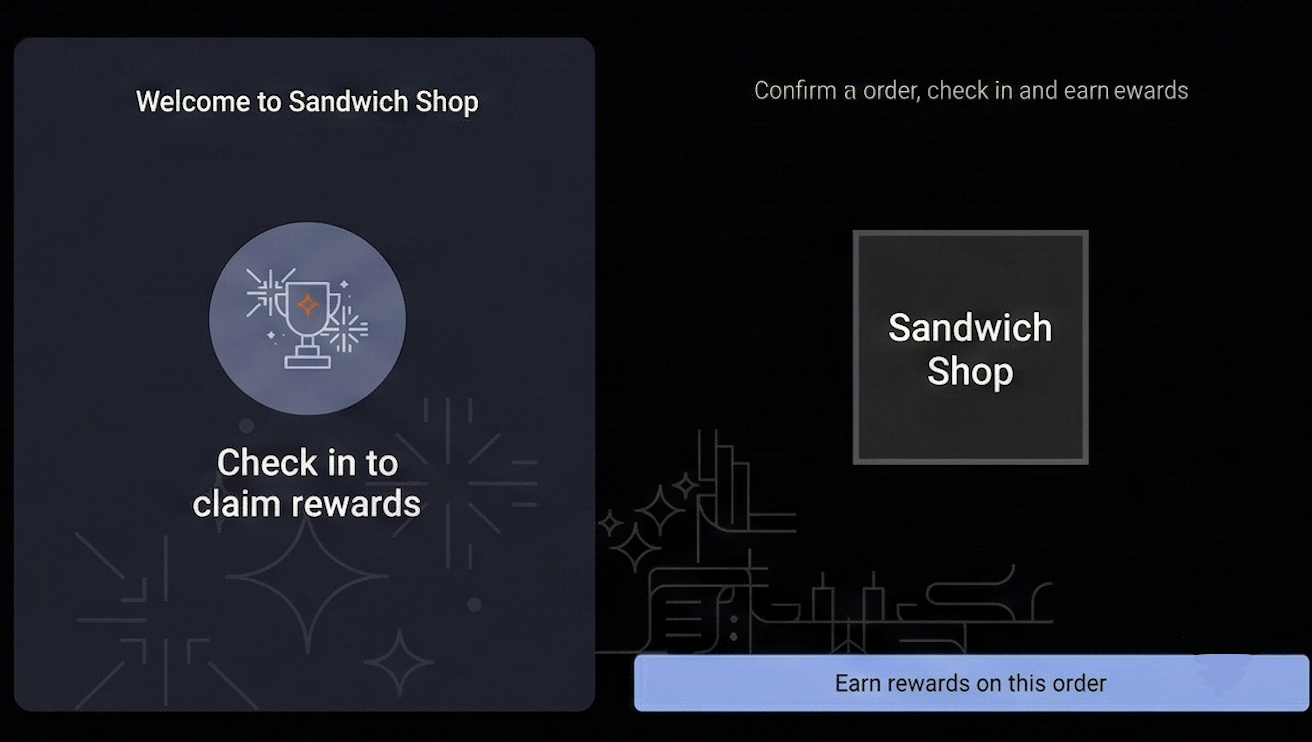
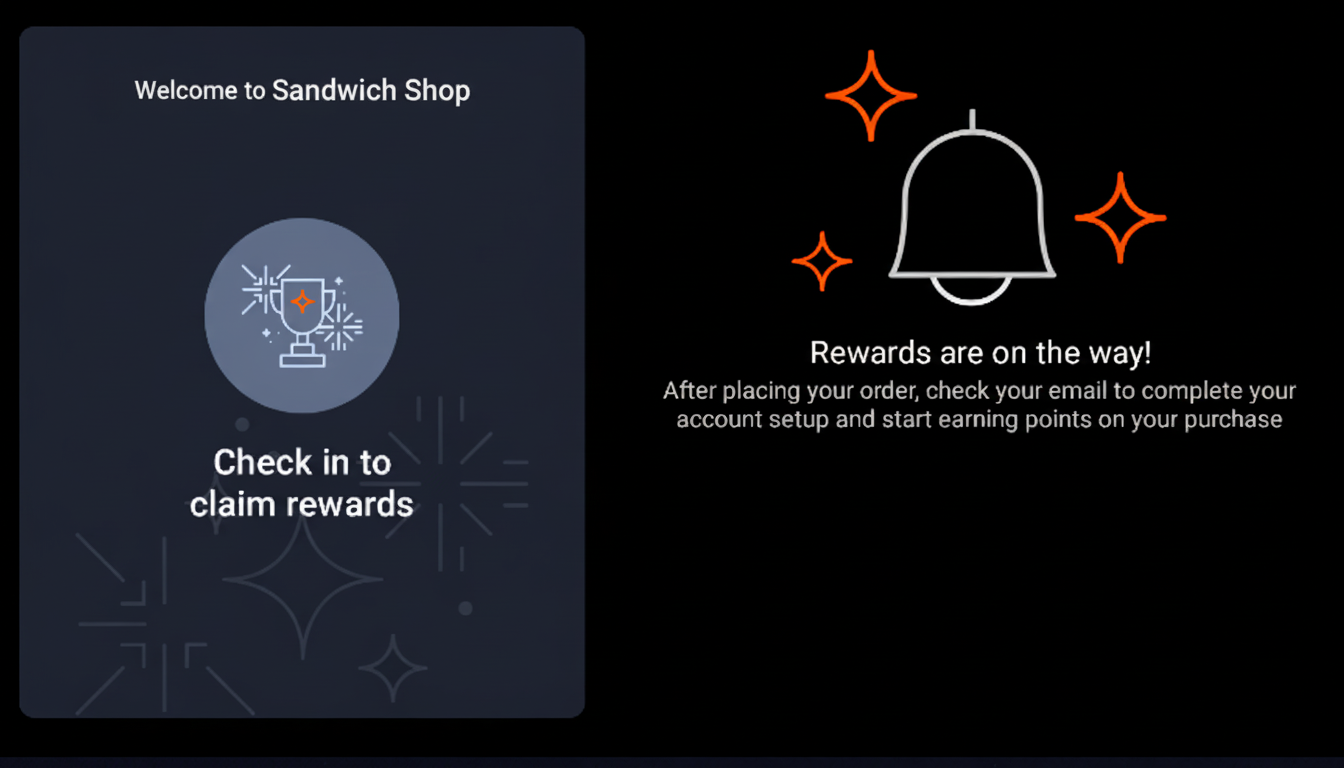
A guest adds items to their order and approaches the payment screen on the GFD. The GFD displays a loyalty prompt such as Check in to claim rewards.
-
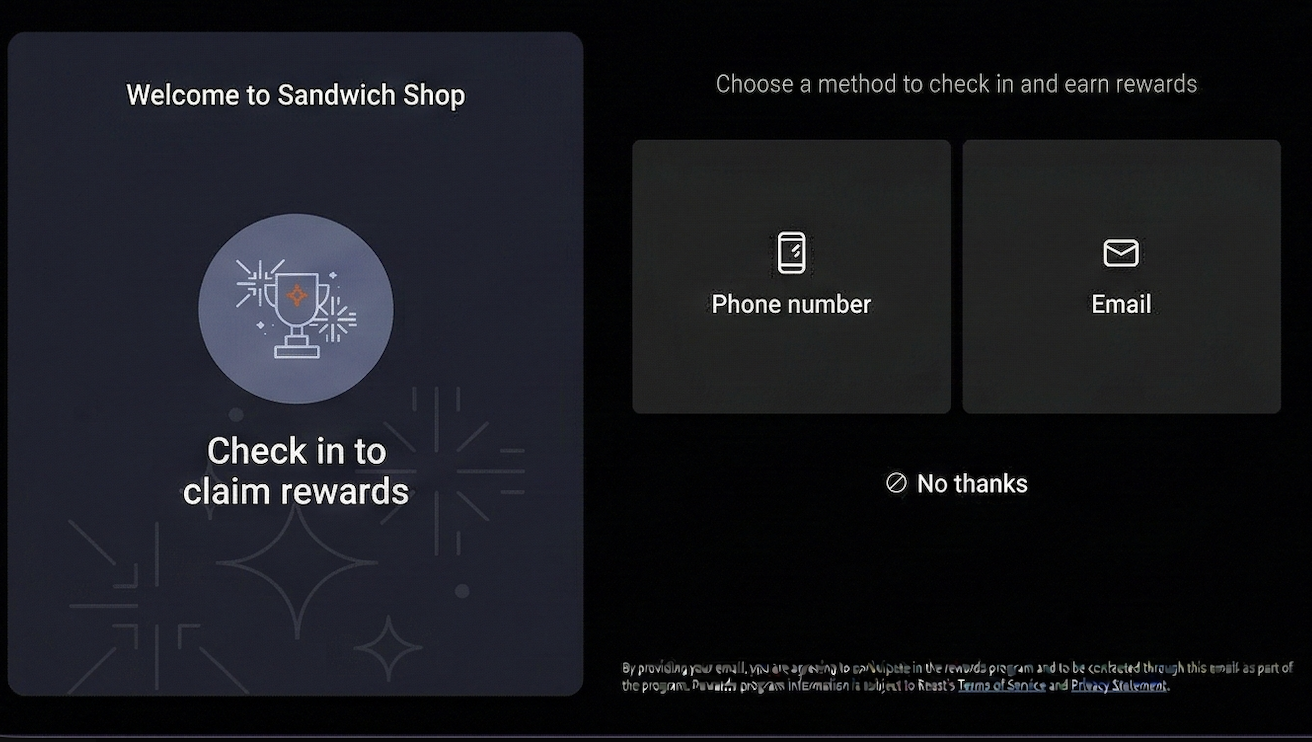
The guest selects the loyalty rewards prompt. The GFD displays options for entering contact information. Available options depend on your loyalty program configuration. For example, the options for a location might include Phone number and Email.
-
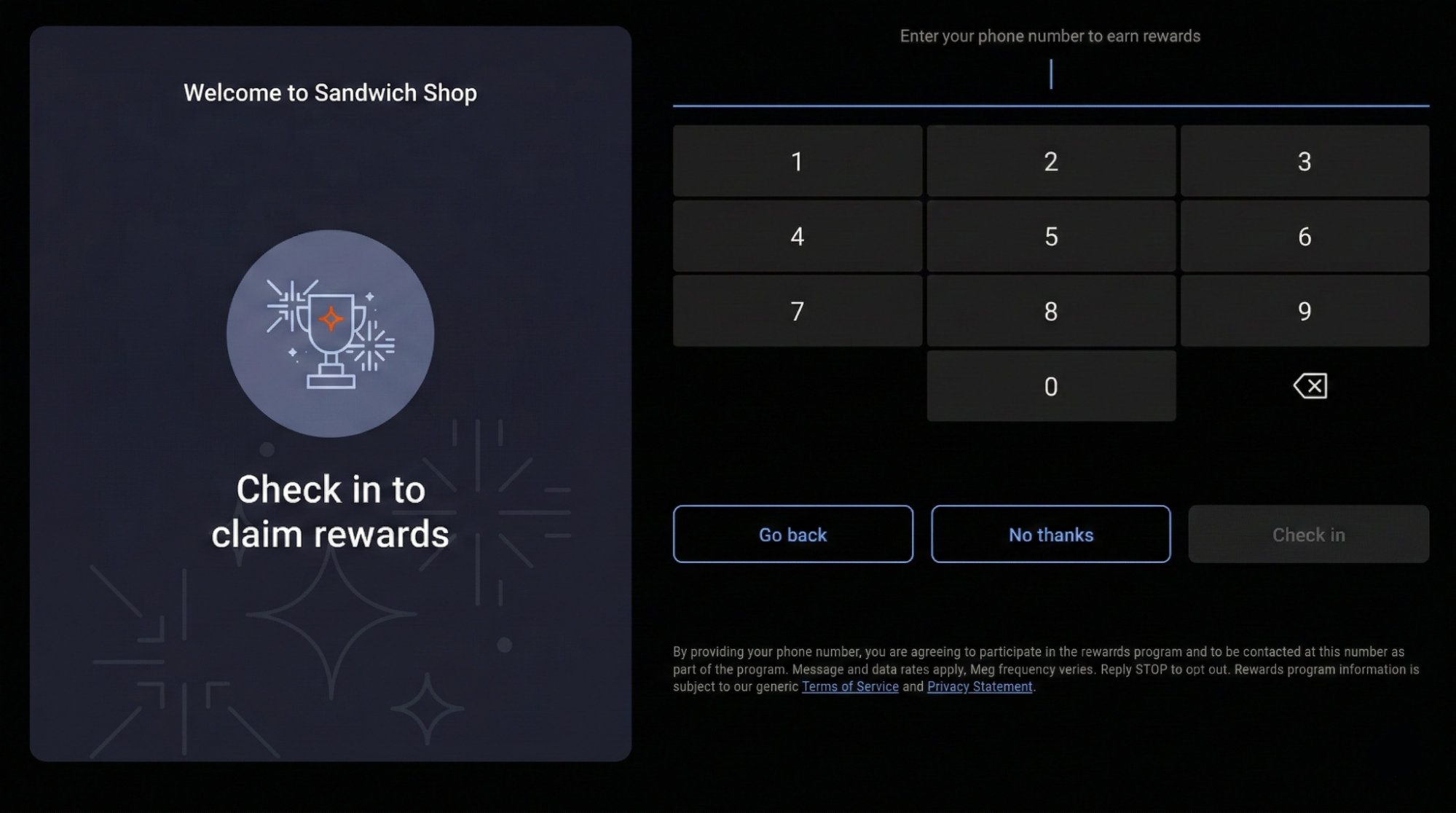
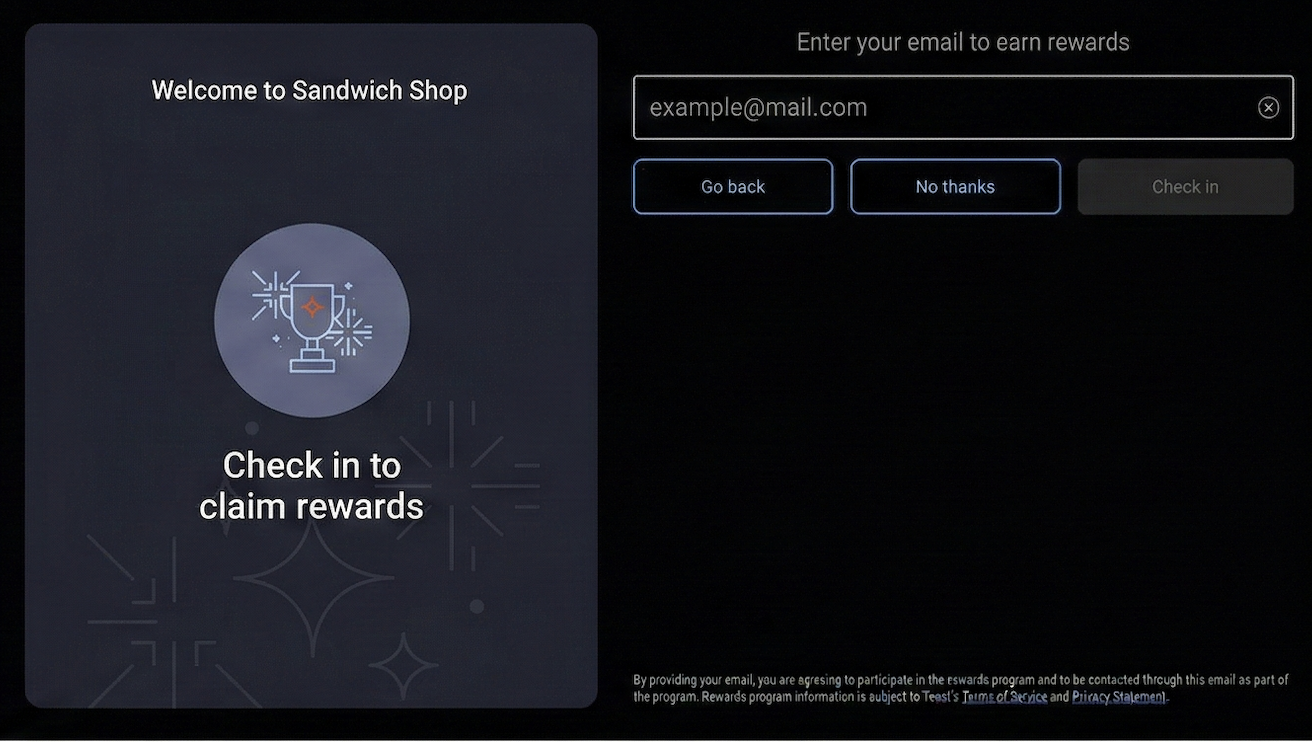
The guest enters their phone number or email address.
-
The guest submits their contact information. The Toast platform sends a
LOYALTY_SEARCHrequest to your loyalty program integration. The request body includes aTransactionInformationSearchobject with search criteria containing the guest's phone number or email address.LOYALTY_SEARCHrequest from GFD with phone number{ "toastTransactionType":"LOYALTY_SEARCH", "searchTransactionInformation":{ "searchCriteria":{ "firstName":null,
"lastName":null,
"email":null,
"phone":"4809712882"
}
},
"checkTransactionInformation":null,
"reverseTransactionInformation":null,
"transferTransactionInformation":null,
"signupTransactionInformation":null
}
"firstName":null,
"lastName":null,
"email":null,
"phone":"4809712882"
}
},
"checkTransactionInformation":null,
"reverseTransactionInformation":null,
"transferTransactionInformation":null,
"signupTransactionInformation":null
} -
Your loyalty program integration searches for accounts matching the contact information and responds. If your integration returns an HTTP
404response code with atransactionStatusofERROR_ACCOUNT_INVALID, indicating no accounts were found, the Toast platform proceeds to the next step. If your integration finds one or more accounts, the workflow continues as described in the existing guest sign-in workflow.LOYALTY_SEARCH response when no accounts found (404 HTTP code)
{ "transactionStatus":"ERROR_ACCOUNT_INVALID",
"searchResponse":{
"accounts":[] }
}
}
}The
ERROR_ACCOUNT_INVALIDstatus with a404HTTP response code indicates no loyalty account was found matching the search criteria. This triggers the Toast platform to send aLOYALTY_SIGNUPrequest.The
accountsarray is empty when no matching accounts are found. You can also omit thesearchResponseobject entirely when returning a404response. -
The Toast platform sends a
LOYALTY_SIGNUPrequest to your loyalty program integration. The request body includes aTransactionInformationSignupobject with either aphoneoremailvalue.Note
The
TransactionInformationSignupobject includes one of either thephoneoremailvalue. If one value includes guest information, the other value isnull.LOYALTY_SIGNUP request from GFD with phone number
{
  "toastTransactionType":"LOYALTY_SIGNUP",
  "searchTransactionInformation":null,
  "checkTransactionInformation":null,
  "reverseTransactionInformation":null,
  "transferTransactionInformation":null,
  "signupTransactionInformation":{
    "phone":"+14809712882",
    "email":null
  }
}
The
signupTransactionInformationobject contains the guest's contact information for creating a new loyalty account.Phone numbers are provided with a country code prefix. For United States numbers, the format is
+1followed by the 10-digit phone number. Exactly one ofphoneoremailis populated; the other field isnull. -
Your loyalty program integration processes the
LOYALTY_SIGNUPrequest according to your business logic and returns a response:-
If your integration creates a loyalty account, return a
ResponseSignupobject containing the newloyaltyIdentifierand set thetransactionStatustoACCEPT. -
If your integration determines that the phone number or email address is already associated with an existing loyalty account, you can return a
transactionStatusofERROR_ALREADY_REGISTERED. The Toast POS app displays an error message to the guest. -
Your integration can return other error status codes based on your business rules, such as
ERROR_ACCOUNT_INVALIDif the guest does not meet eligibility requirements, orERRORwith a custom message for other conditions.
Note
Your integration determines whether to create an account immediately, defer account creation pending additional verification or consent, or decline account creation based on your program's policies. The Toast platform does not prescribe sign-up policies or account creation requirements.
Successful LOYALTY_SIGNUP response (200 HTTP code)
{
  "transactionStatus":"ACCEPT",
  "signupResponse":{
    "loyaltyIdentifier":"434f54d6-5b7d-496c-b60c-4704c5227e43"
  }
}
The
loyaltyIdentifieris a unique identifier for the newly created loyalty account. The Toast platform includes this identifier in all subsequent loyalty requests (LOYALTY_INQUIRE,LOYALTY_REDEEM,LOYALTY_ACCRUE) for this guest during the current transaction and future loyalty integration transactions. -
-
The GFD displays a confirmation message to the guest.
-
The Toast platform sends a
LOYALTY_INQUIRErequest. The request includes theloyaltyIdentifierthat your integration returned in the sign-up response. The request also includes the guest's current check in thecheckTransactionInformationobject.LOYALTY_INQUIRE request following successful sign up
{
  "toastTransactionType":"LOYALTY_INQUIRE",
  "searchTransactionInformation":null,
  "checkTransactionInformation":{
    "loyaltyIdentifier":"434f54d6-5b7d-496c-b60c-4704c5227e43",
    "checks":[
      {
        "entityType":"Check",
        "guid":"3c551085-6a04-48c8-b814-123456789abc",
        "selections":[
          {
            "entityType":"OrderSelectionItem",
            "guid":"a1b2c3d4-5678-90ab-cdef-123456789def",
            "itemId":"e9f8a7b6-c5d4-3210-fedc-ba9876543210",
            "preDiscountPrice":8.99,
            "quantity":1
          }
        ]
      }
    ]
  },
  "reverseTransactionInformation":null,
  "transferTransactionInformation":null,
  "signupTransactionInformation":null
} -
Your loyalty program integration responds to the inquire request with a
ResponseCheckobject. The response includes:-
accountInfo: Information about the loyalty account, including the identifier, name, and optionally a points balance. -
offers: An array of loyalty offers available to the guest. Each offer includes anapplicableboolean indicating whether the offer can be applied to the current check based on its contents. -
redemptionLimit(optional): Controls the maximum number of rewards the guest can select on the GFD. When you include this object with amaxRedemptionsvalue, the GFD disables the ability to select additional rewards once the limit is reached. If you omit this object or setmaxRedemptionstonull, the GFD allows unlimited reward selections.
Note
The
offersarray can contain any offers that your loyalty program determines are available to the account. This might include welcome offers for new members, existing offers that do not require prior purchases, or an empty array. Your loyalty program logic determines offer availability. -
-
If your integration returns available offers, the GFD displays them to the guest. The guest can select offers to redeem. If you included a
redemptionLimitin your response, the GFD enforces the limit by disabling additional reward selections once the guest reaches the maximum. Guests can always deselect rewards to choose different ones.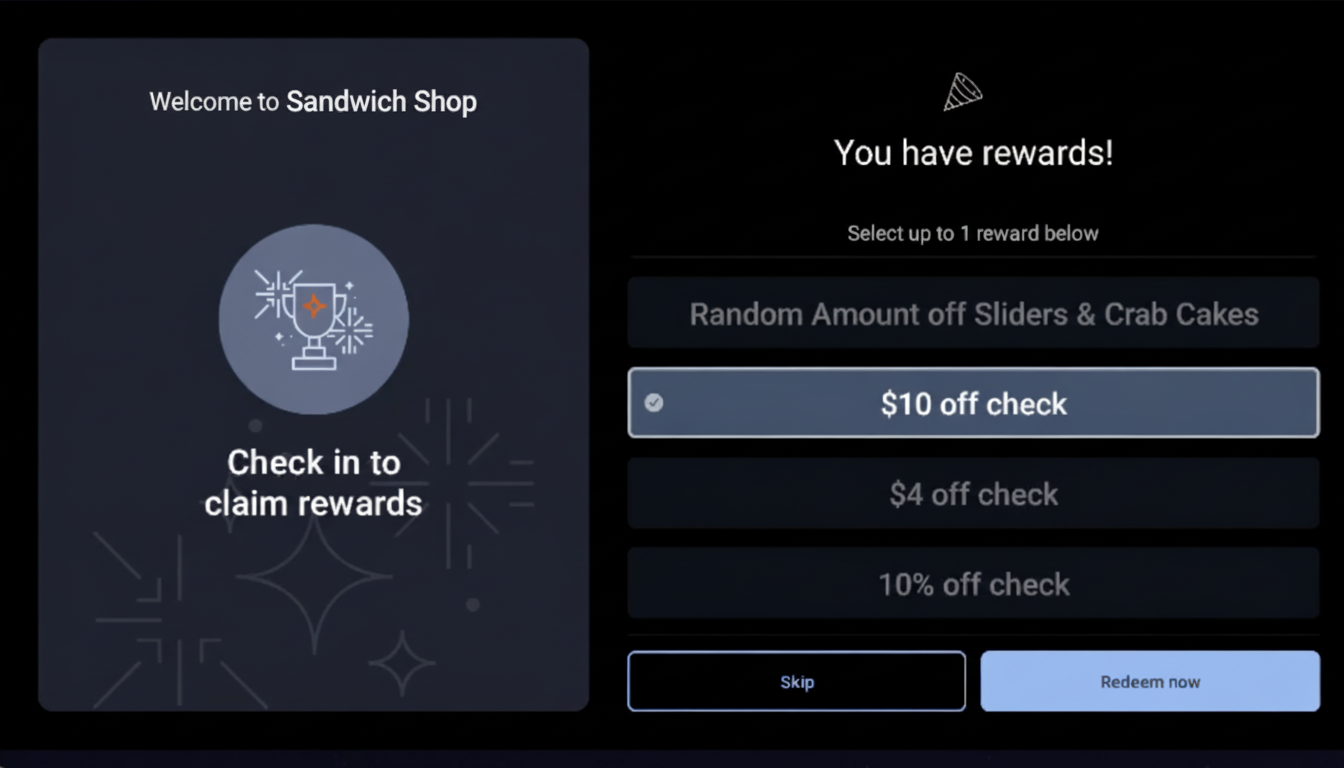
Each time the guest selects or removes an offer, the Toast platform sends another
LOYALTY_INQUIRErequest. Your integration determines which selected offers are valid based on your business rules and indicates accepted or rejected offers in the response. -
When the guest proceeds to payment, the Toast platform sends a
LOYALTY_REDEEMrequest. The request includes the final check and all applied redemptions. Your integration performs final validation of the redemptions according to your business logic and returns accepted or rejected redemptions in the response. For more information about response messages, see Toast API reference documentation. -
After the guest completes payment, the Toast platform asynchronously sends a
LOYALTY_ACCRUErequest. The request includes the completed check with payment information. Your integration handles the accrual according to your loyalty program rules, which might include updating account balances, earning status, or other program-specific logic.
When a guest enters their contact information on the GFD, the Toast platform searches for an existing account. If one or more accounts are found, the workflow continues with the existing account.
-
A restaurant guest adds items to their order and proceeds to the payment screen on the GFD. The GFD displays the loyalty prompt Check in to claim rewards.
-
The guest selects the loyalty prompt. The GFD displays options for entering contact information. Available options depend on your loyalty program configuration and include Phone number and Email.
-
The guest enters their phone number or email address.
-
The guest submits their contact information. The Toast platform sends a
LOYALTY_SEARCHrequest to your loyalty program integration. The request body includes aTransactionInformationSearchobject withsearchCriteriacontaining the guest's phone number or email address. -
Your loyalty program integration searches for accounts matching the contact information and responds with a
ResponseSearchobject containing an array ofAccountInfoobjects for accounts that match the search criteria.-
If your integration returns exactly one account, the Toast platform uses that account automatically.
-
If your integration returns multiple accounts, the GFD displays them to the guest. The guest selects their account.
-
If your integration returns no matching accounts (HTTP
404response withERROR_ACCOUNT_INVALID), the Toast platform sends aLOYALTY_SIGNUPrequest as described in GFD workflow for new loyalty member sign-up.
Note
Your integration determines search matching logic, which might include exact matches, partial matches, fuzzy matching, or other search algorithms appropriate for your loyalty program.
-
-
After the guest's loyalty account is identified, the Toast platform sends a
LOYALTY_INQUIRErequest. This inquire request and all subsequent requests (LOYALTY_INQUIRE,LOYALTY_REDEEM,LOYALTY_ACCRUE) follow the same workflow described in GFD workflow for new loyalty member sign-up.