You can view an overview of charges, payments, and adjustments made to house accounts linked to your location. Go to Finance > Payments > House accounts > Reports to open the Reports page. On the Reports page, you can view and complete the following:
-
Select a custom date range to filter house account activities.
-
Select the Refresh link. This refreshes the data on the Reports page.
-
Access the download Reportlink.
-
Filter activities by source:
-
All
-
POS
-
Invoice
-
-
View charges made to the house account
-
View and open the order charged to the house account
-
View the name of the house account owner
-
View the applicable customer number
-
View the order amount
-
View the tax amount for the order
-
View the applicable discount amount for the order
-
View the order source
-
View the first name and last initial of the employee who completed the charge to the house account
-
View the date and time of the order
-
-
View payments made to the house account
-
View and open the order charged to the house account
-
View the name of the house account owner
-
View the applicable customer number
-
View the payment amount
-
View the payment type:
-
Cash
-
Credit
-
Gift cards
Note
You can configure other payment methods on the Other payment options page in Toast Web. For more information, see Payment workflows.
-
-
View the order source
-
View the first name and last initial of the employee who completed the payment to the house account
-
View the date and time of the payment
-
-
View adjustments made to the house account
-
View the name of the house account owner
-
View the applicable customer number
-
View the adjustment amount
-
View applicable notes
-
View the name of the employee who completed the adjustment to the house account
-
View the date and time of the adjustment
-
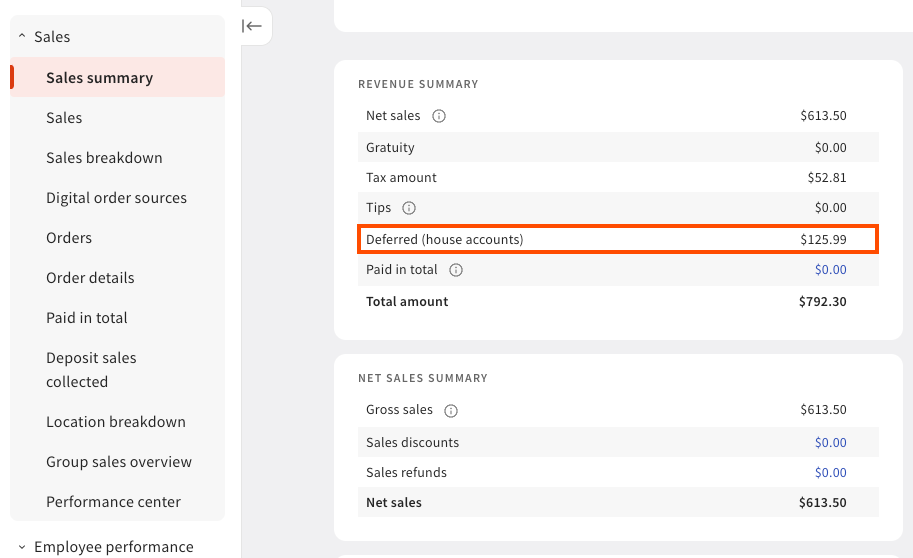
You can view your deferred revenue from house accounts in the Sales summary report on Toast Web. Go to Reports > Sales > Sales summary to open the Sales summary report. The Deferred (house accounts) row in the Sales summary report details the sum of payments made to the total outstanding house account balance on a given day or a specific time range. For more information about deferred revenue, see this Toast Support article.