|
Note |
|
The load balancing feature is only available for new KDS, previously known as grid view. |
The location in this example uses prep station KDS devices that have load-balancing groups assigned. For more information about load balancing, see Routing using load balancing.
In this example, the location's configuration:
-
Uses load-balancing groups named Line A and Line B.
-
Uses the Start queue option On - Manually turn on for each device.
-
Uses one expediter KDS device.
-
Uses three prep station KDS devices.
-
One has the Drinks prep station assigned.
-
One has the Grill/Fry prep station assigned. This device is part of load-balancing group Line A and uses start queue.
-
One has the Grill/Fry prep station assigned. This device is part of load-balancing group Line B and uses start queue.
-
-
The order is placed.
-
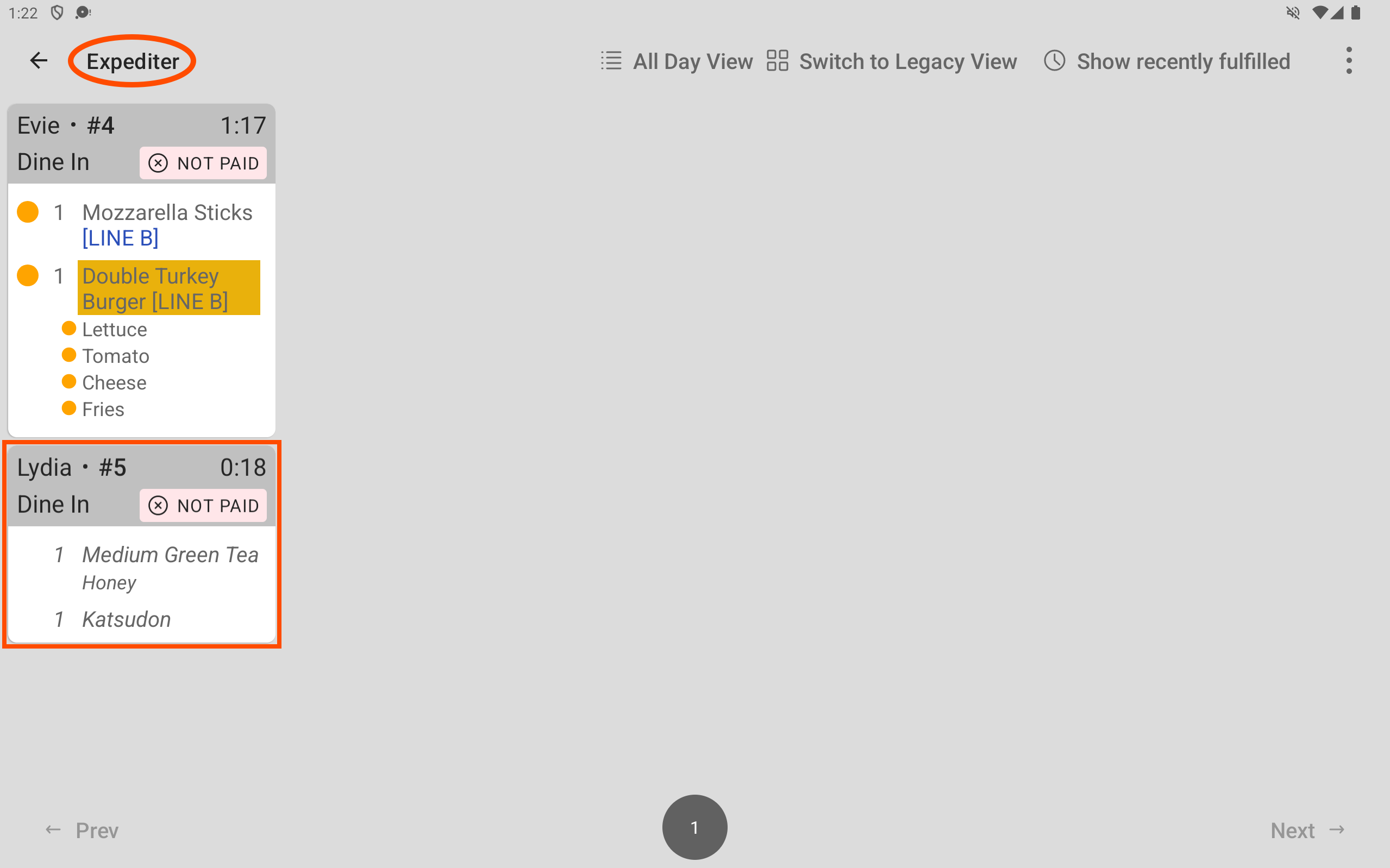
The order is fired to the kitchen. The order contains Green Tea and Katsudon. Green Tea is assigned to the Drinks prep station. Katsudon is assigned to the Grill/Fry prep station. Here is the order ticket on the expediter KDS device.
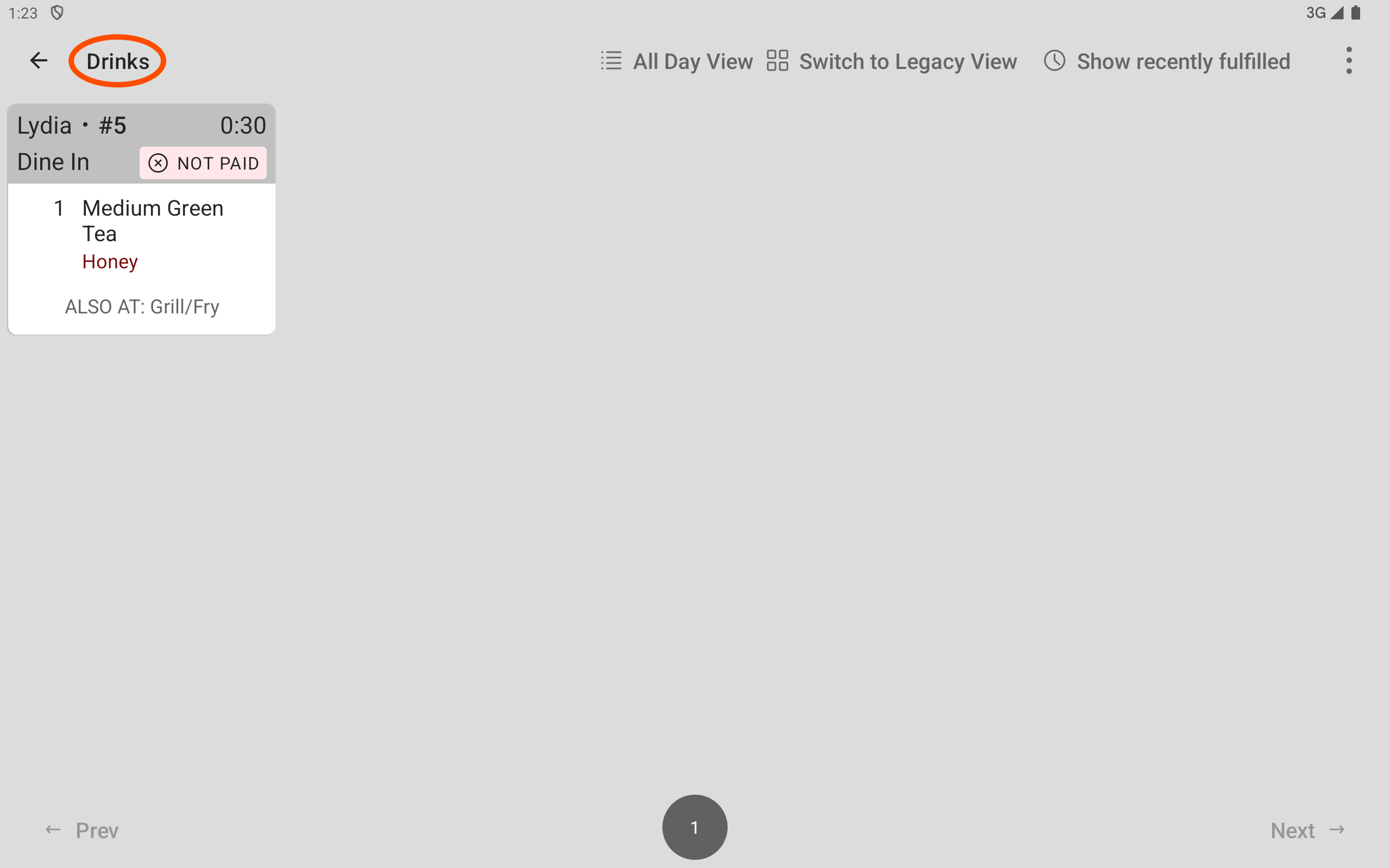
Here is the order ticket on the Drinks prep station KDS device.
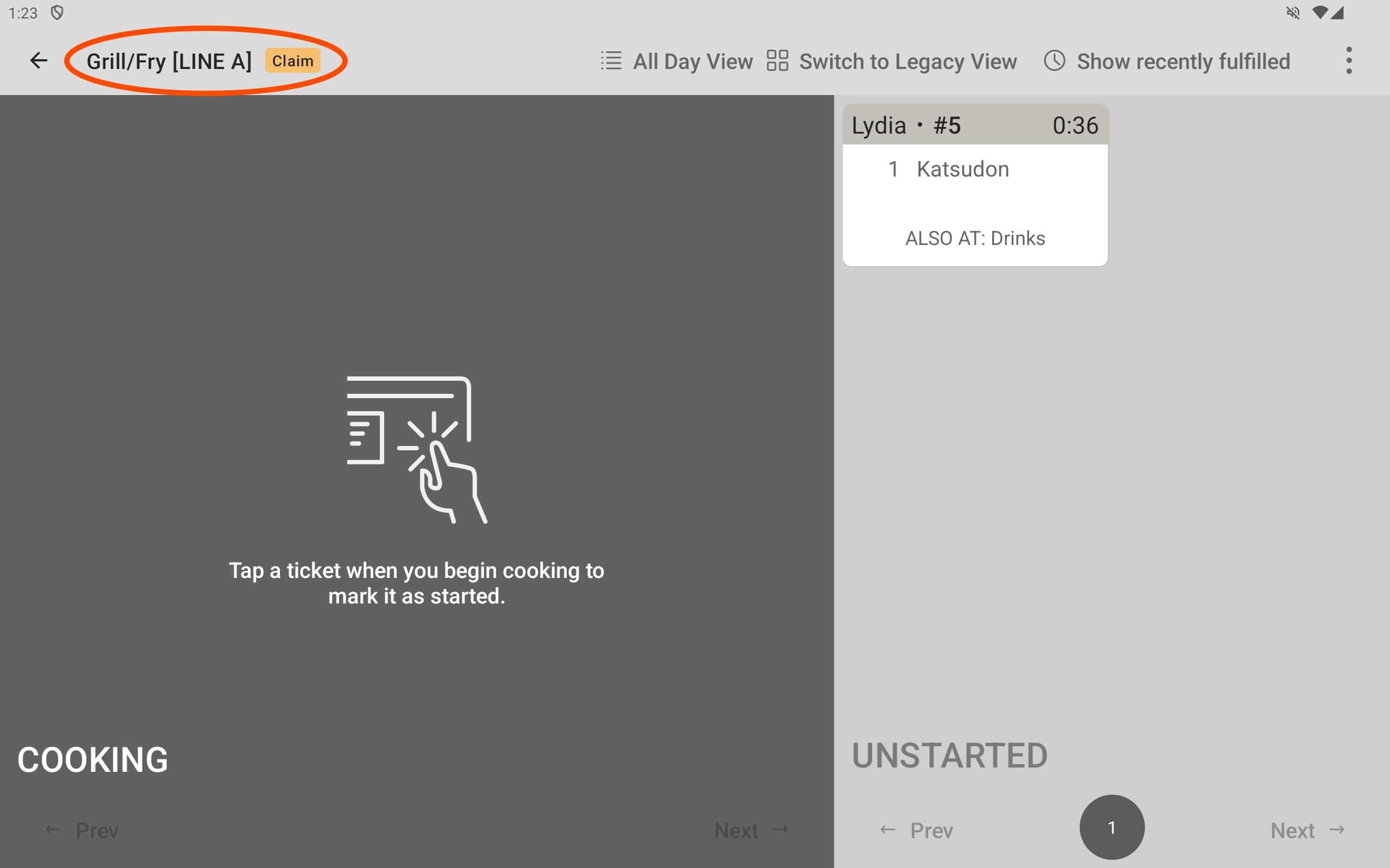
Here is the order ticket on Line A’s Grill/Fry prep station KDS device. The ticket is on the UNSTARTED side of the device.
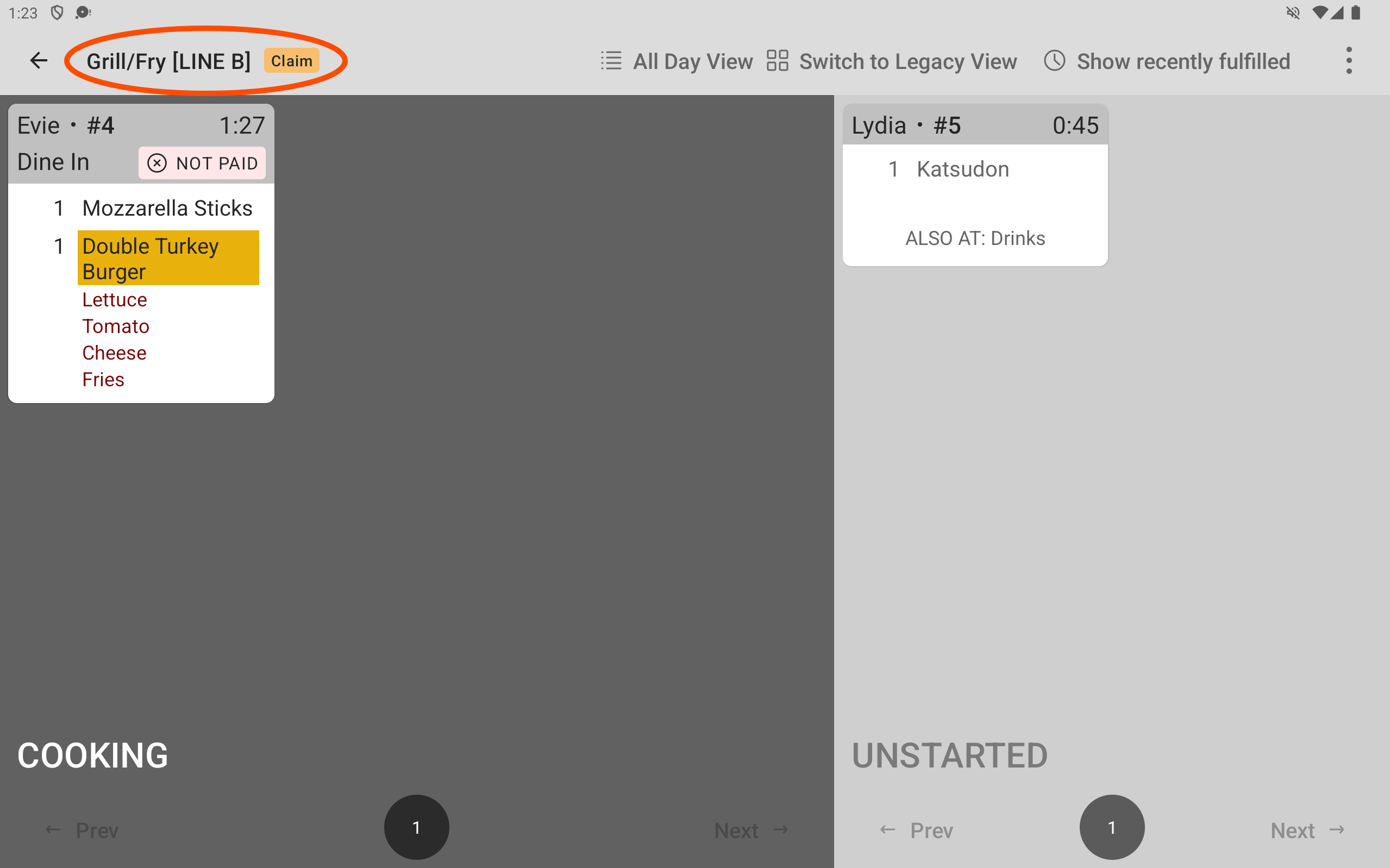
Here is the order ticket on Line B’s Grill/Fry prep station KDS device. The example ticket is on the UNSTARTED side of the device. A ticket already being worked on appears on the COOKING side of the device.
-
At the Drinks prep station, the line cook sees the ticket and prepares the item. The line cook fulfills the ticket on the Drinks prep station KDS device. The ticket disappears from the Drinks prep station KDS device.
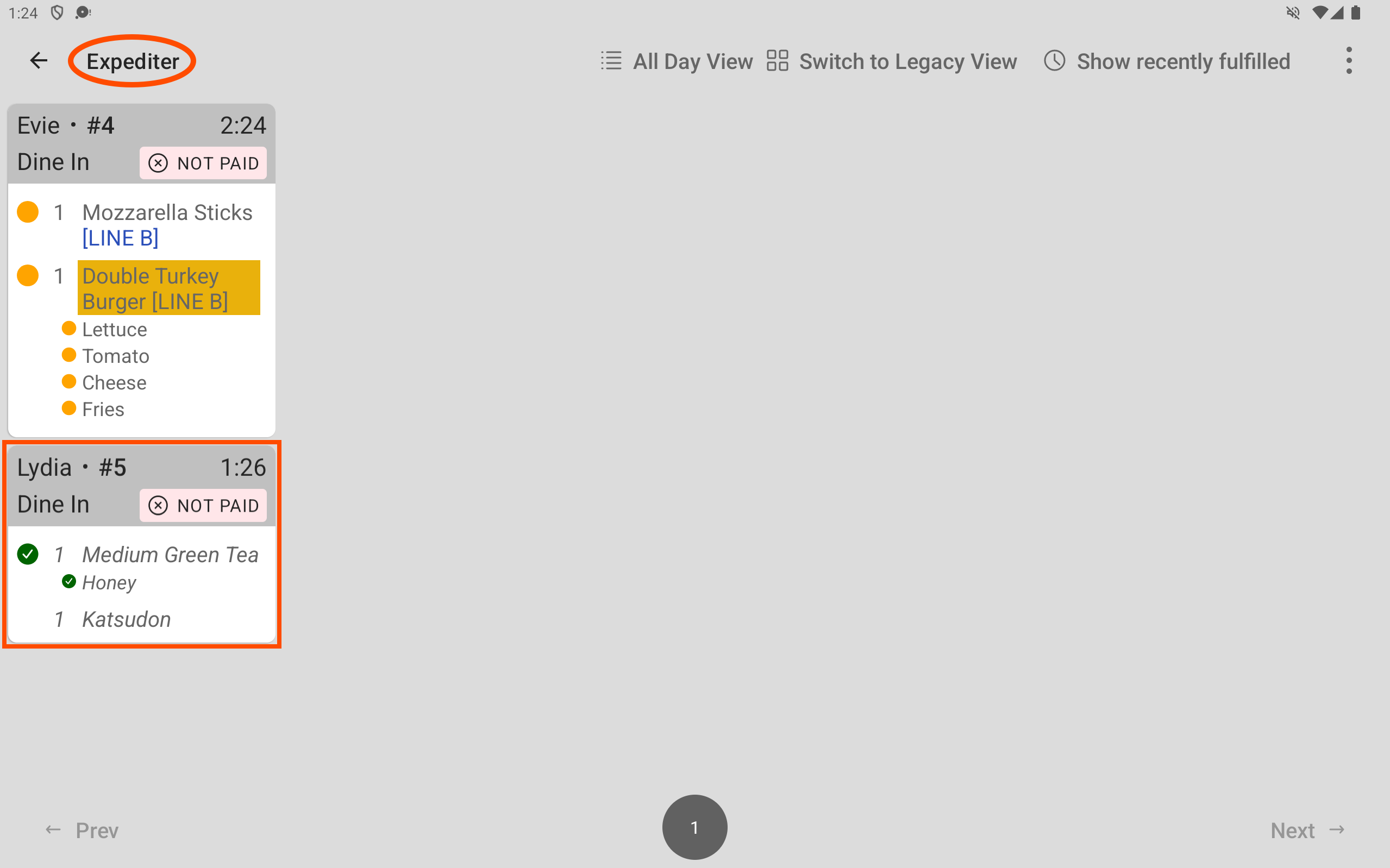
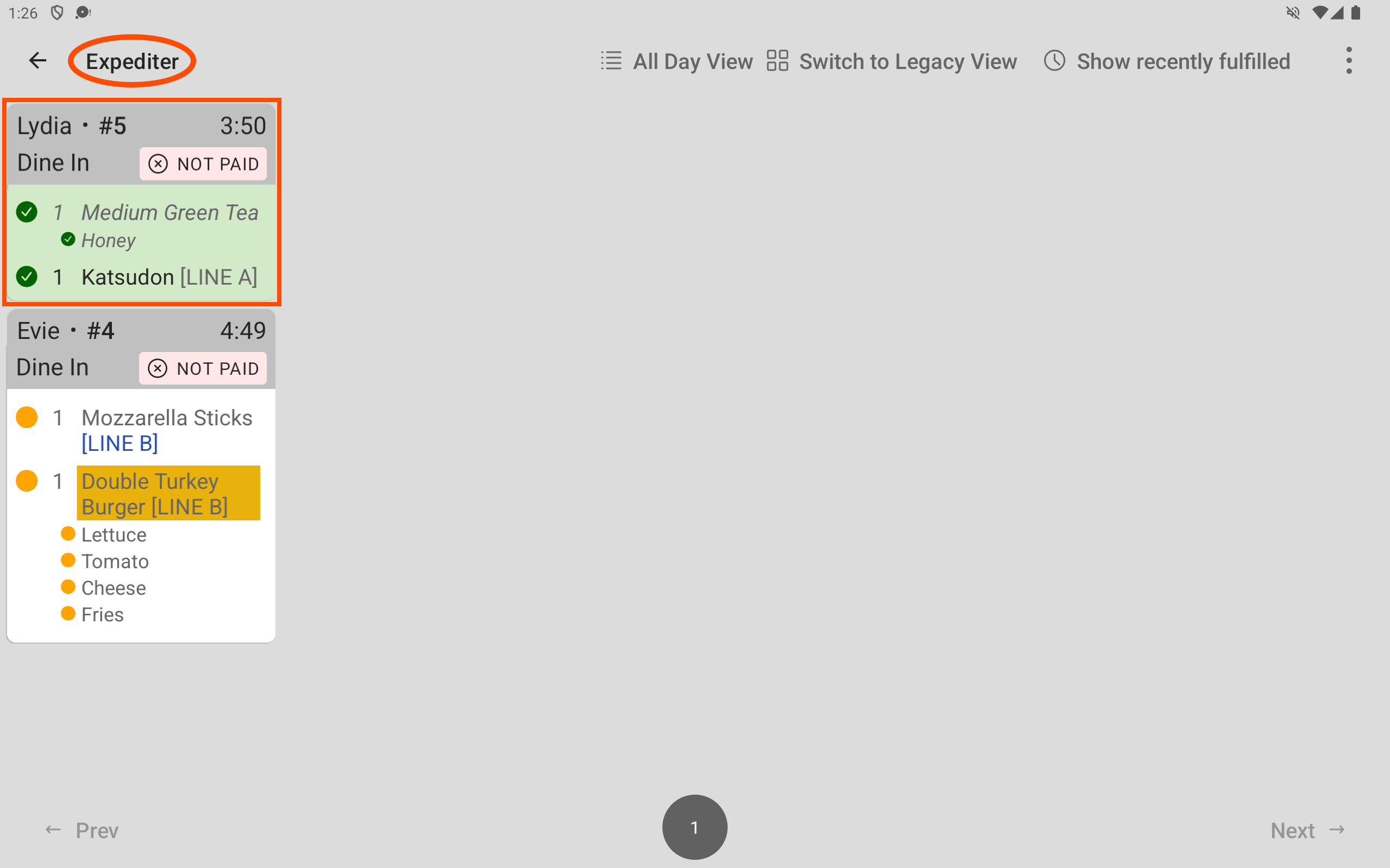
The expediter KDS device displays the fulfilled item with a fulfilled icon (green check mark).
-
At Line B’s Grill/Fry prep station, the line cook sees the order ticket on the UNSTARTED side of the Grill/Fry prep station KDS device, but is already working on an item. The line cook does not select the order ticket until they are ready to start working on the item.
In the meantime, at Line A’s Grill/Fry prep station, a line cook sees the order ticket on the UNSTARTED side of the Grill/Fry prep station KDS device, is finished with other tickets, and selects it to start it. The ticket moves from the UNSTARTED side to the COOKING side of the screen.
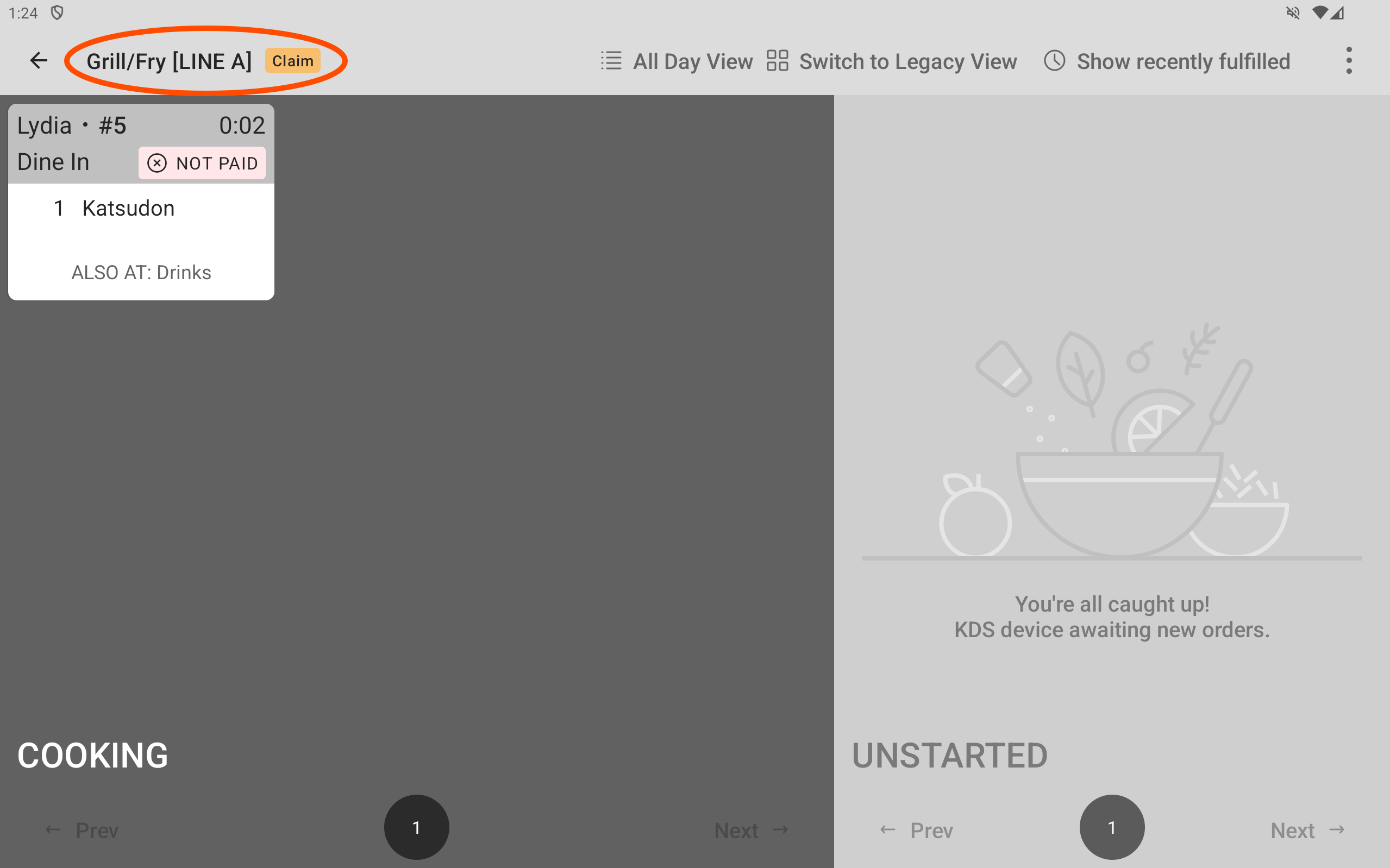
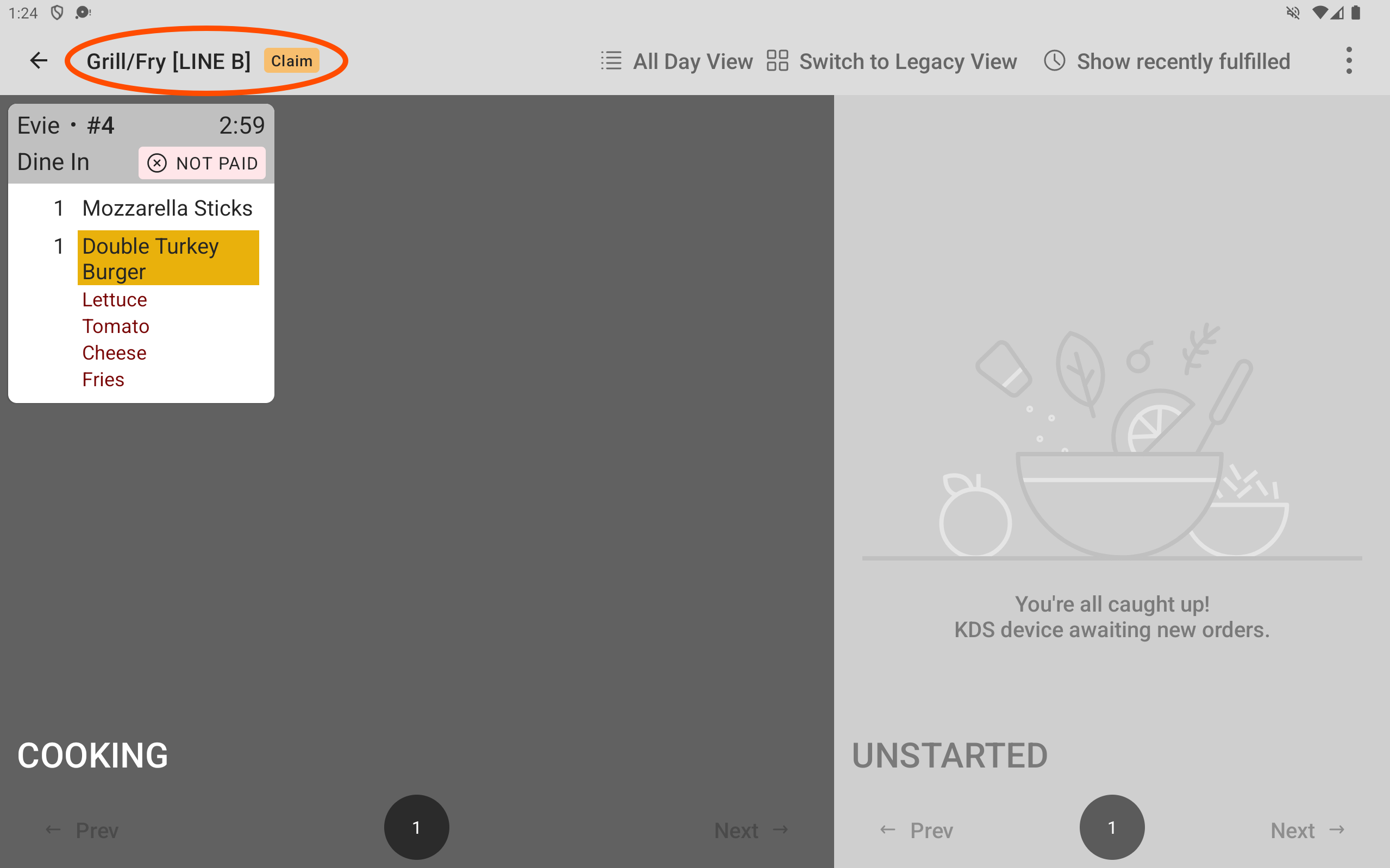
The ticket disappears from Line B’s Grill/Fry prep station KDS device. The order ticket still being worked on remains on the screen.
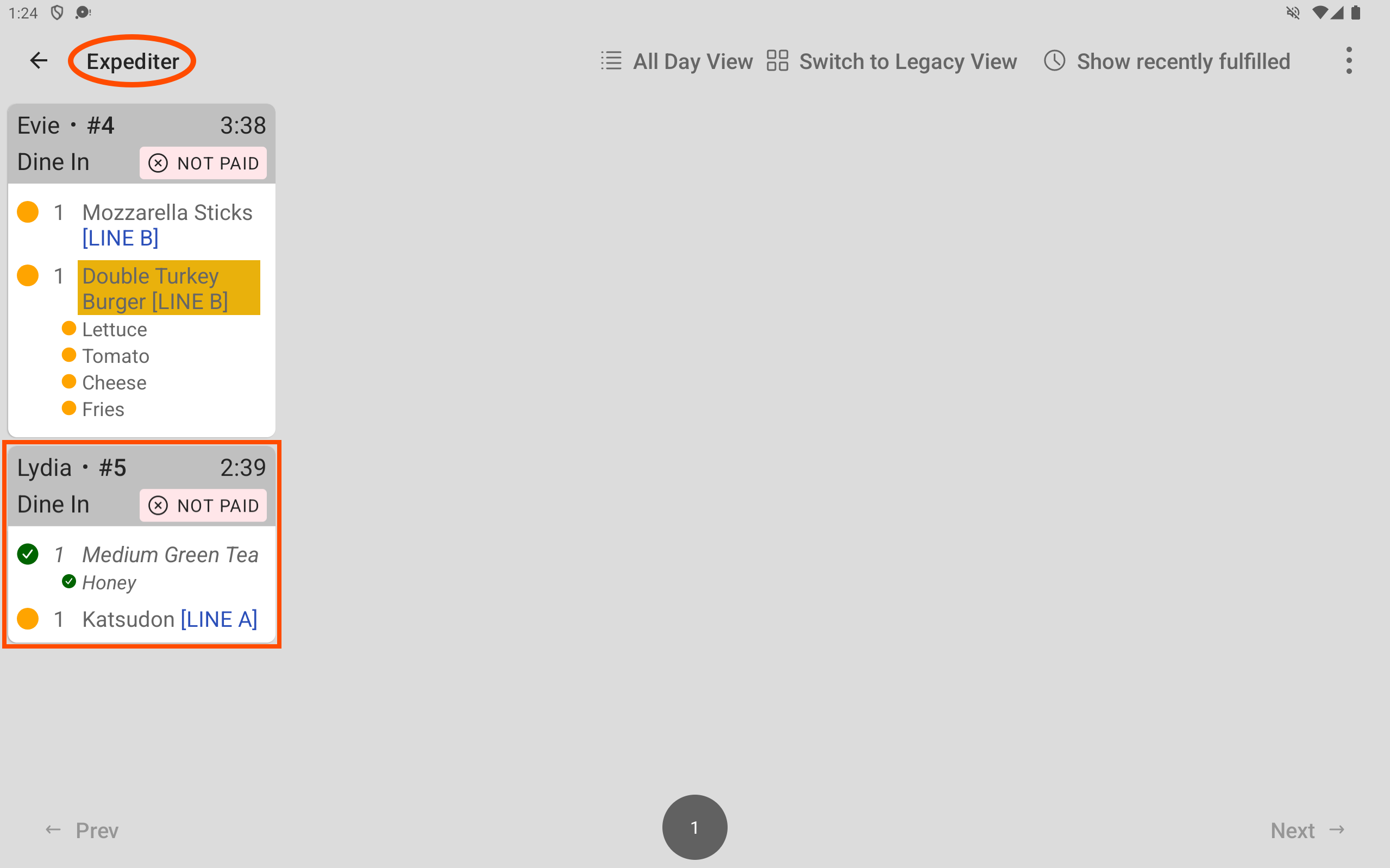
The partial fulfillment indicator (yellow dot icon) appears next to the Grill/Fry prep station item on the expediter KDS device ticket and the name of the load-balancing group working on the item appears after the item name.
-
At the Grill/Fry prep station, the line cook finishes the Katsudon item and fulfills the ticket. The ticket disappears from the Grill/Fry prep station KDS device. The fulfilled icon (green check mark) appears next to the Grill/Fry prep station items on the expediter ticket.
-
The server verifies that the items in the order are at the expediter station, and fulfills the ticket on the expediter KDS device. The ticket disappears from the expediter KDS device.