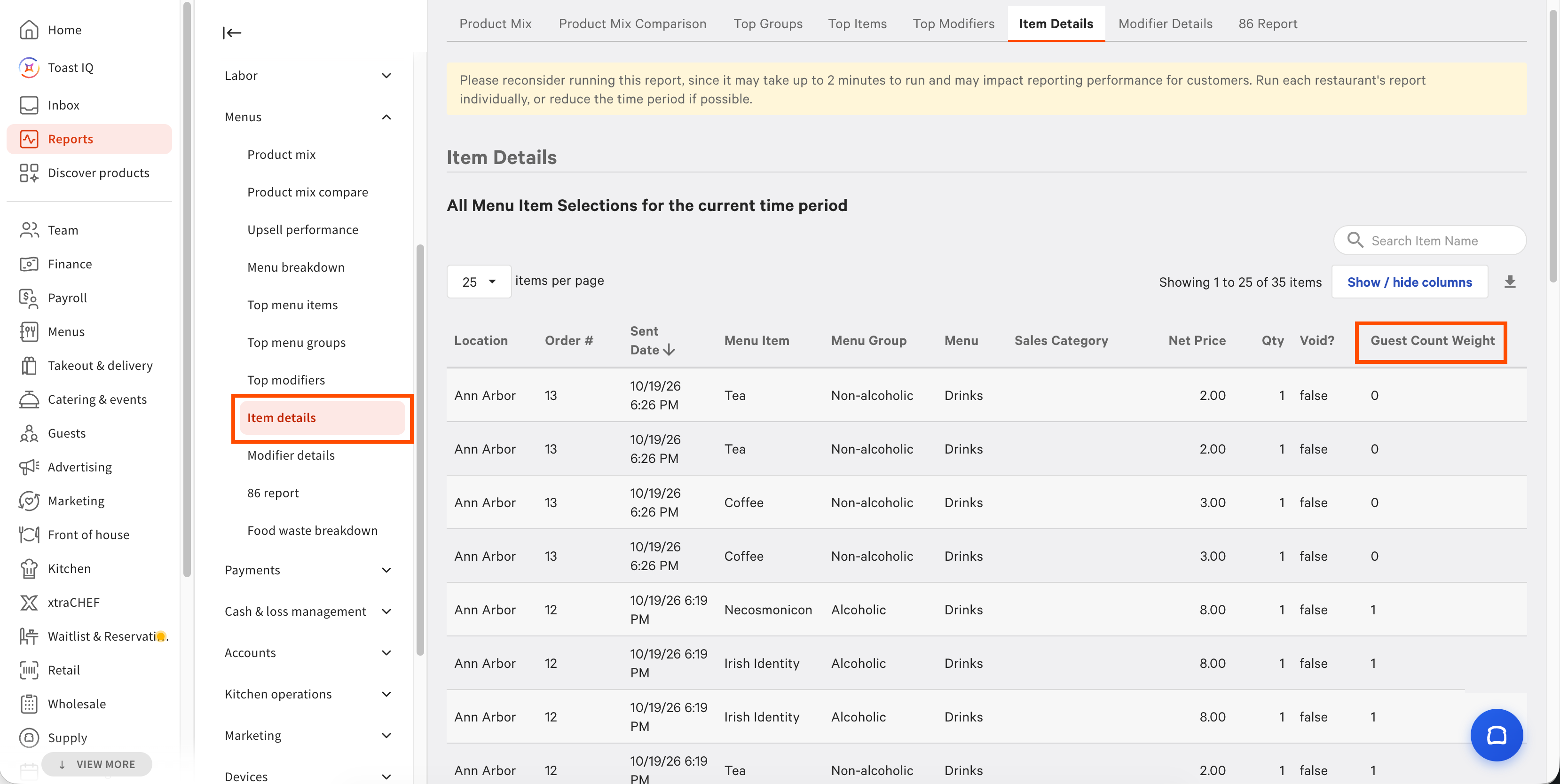
To access guest count weight information from the Item details or Modifier details report
-
Select one of the following:
-
To view guest count weight for menu items, go to Reports > Menus > Item details.
-
To view guest count weight for modifiers, go to Reports > Menus > Modifier details.
-
-
Select the Show / hide columns button to open the column list.
-
Select the checkbox for the Guest Count Weight column to display it.